← All guidesGuide
How to plan a match
Want to know how to schedule a match recording in zone14 REPLAY? This step-by-step guide shows you how.
Scheduling a game is important to ensure that the zone14 camera records the game. Here is a simple guide to scheduling a game on the REPLAY website and on YouTube.
1. Log in to the zone14 REPLAY page with your login details.
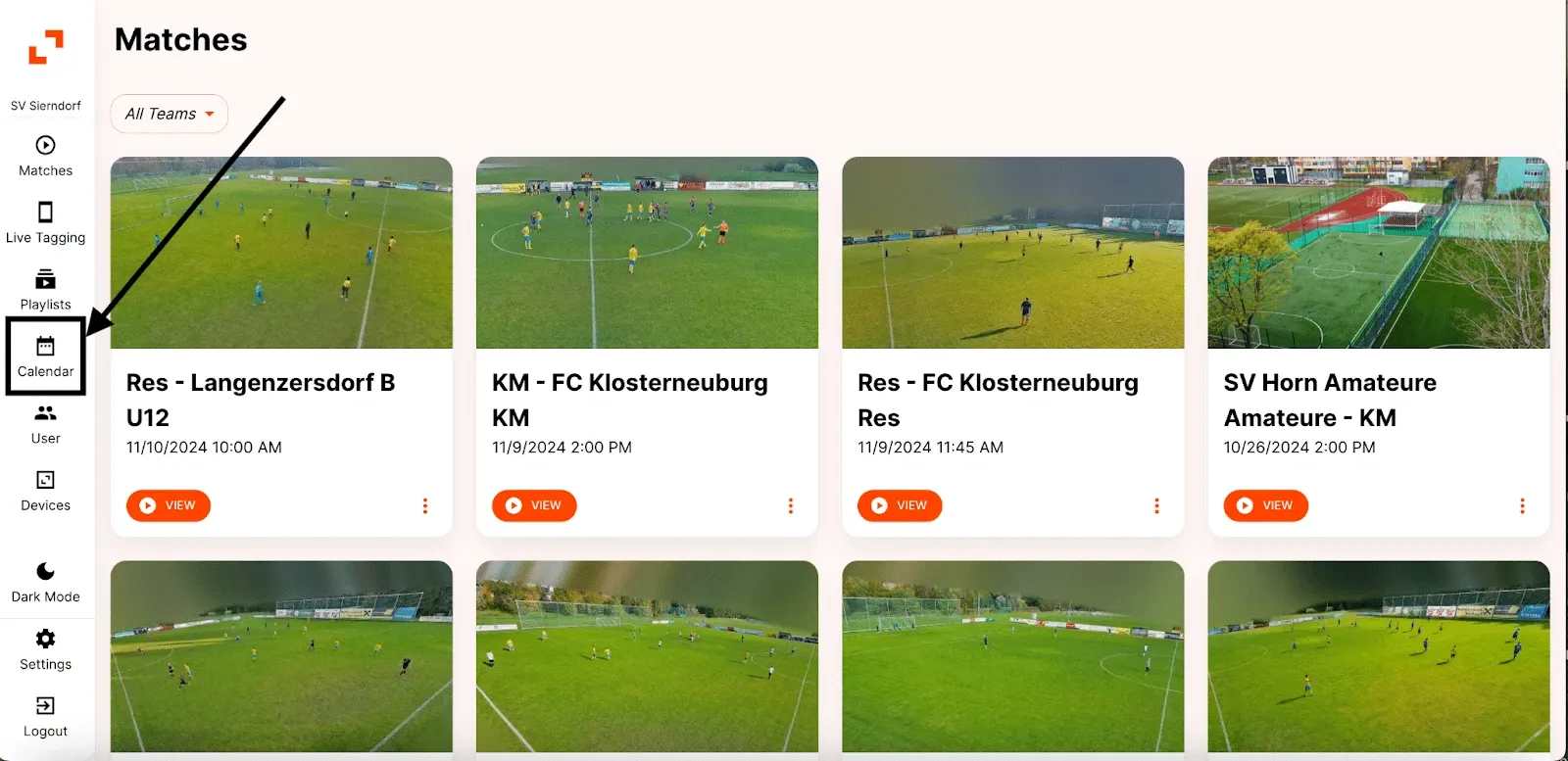
2. On your club’s homepage, locate the toolbar on the left side, just below the orange zone14 logo at the top. Find and click the “Calendar” button.
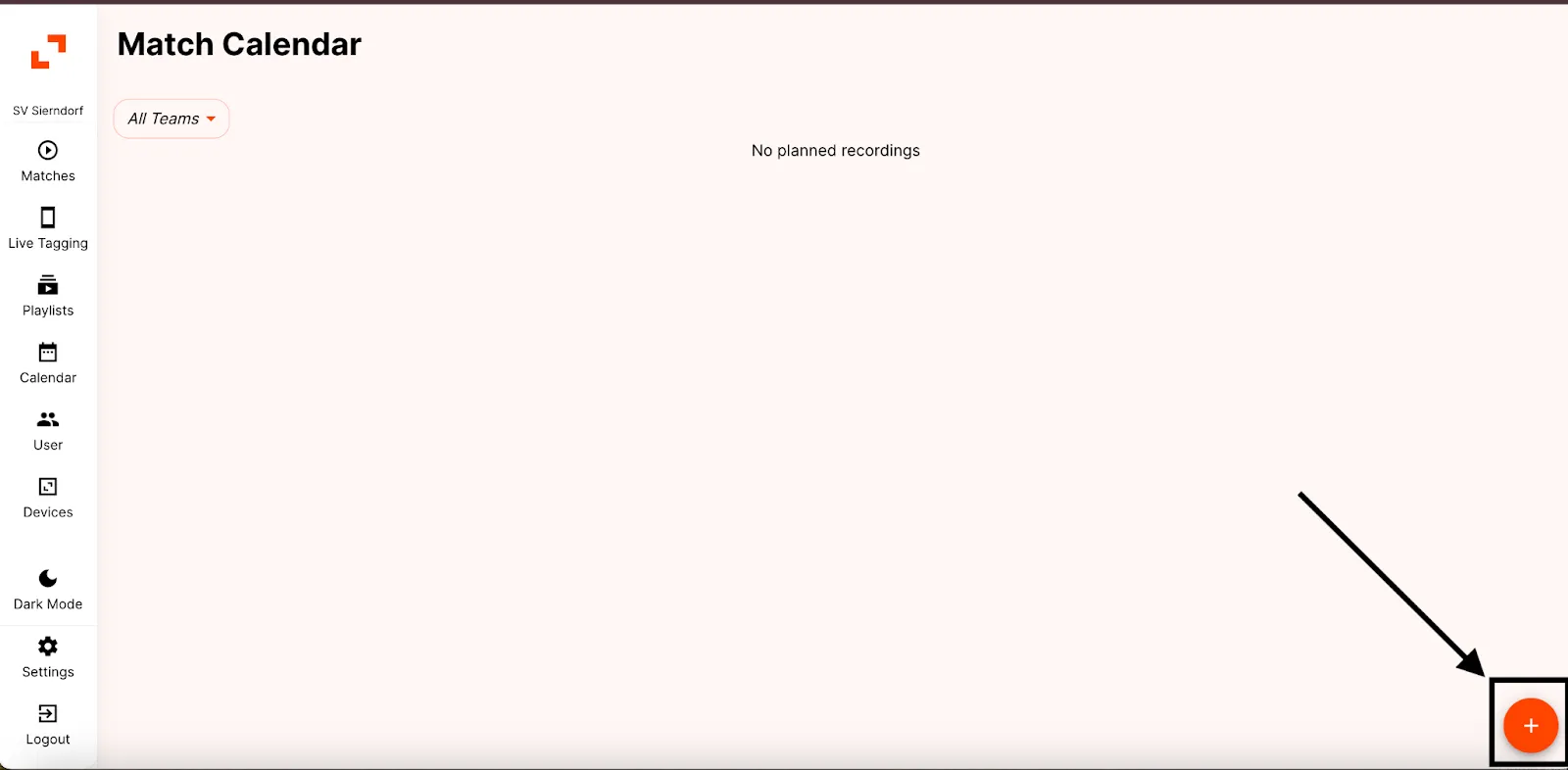
3. On the calendar page, click on the orange ‘+’ sign at the bottom right of the screen.
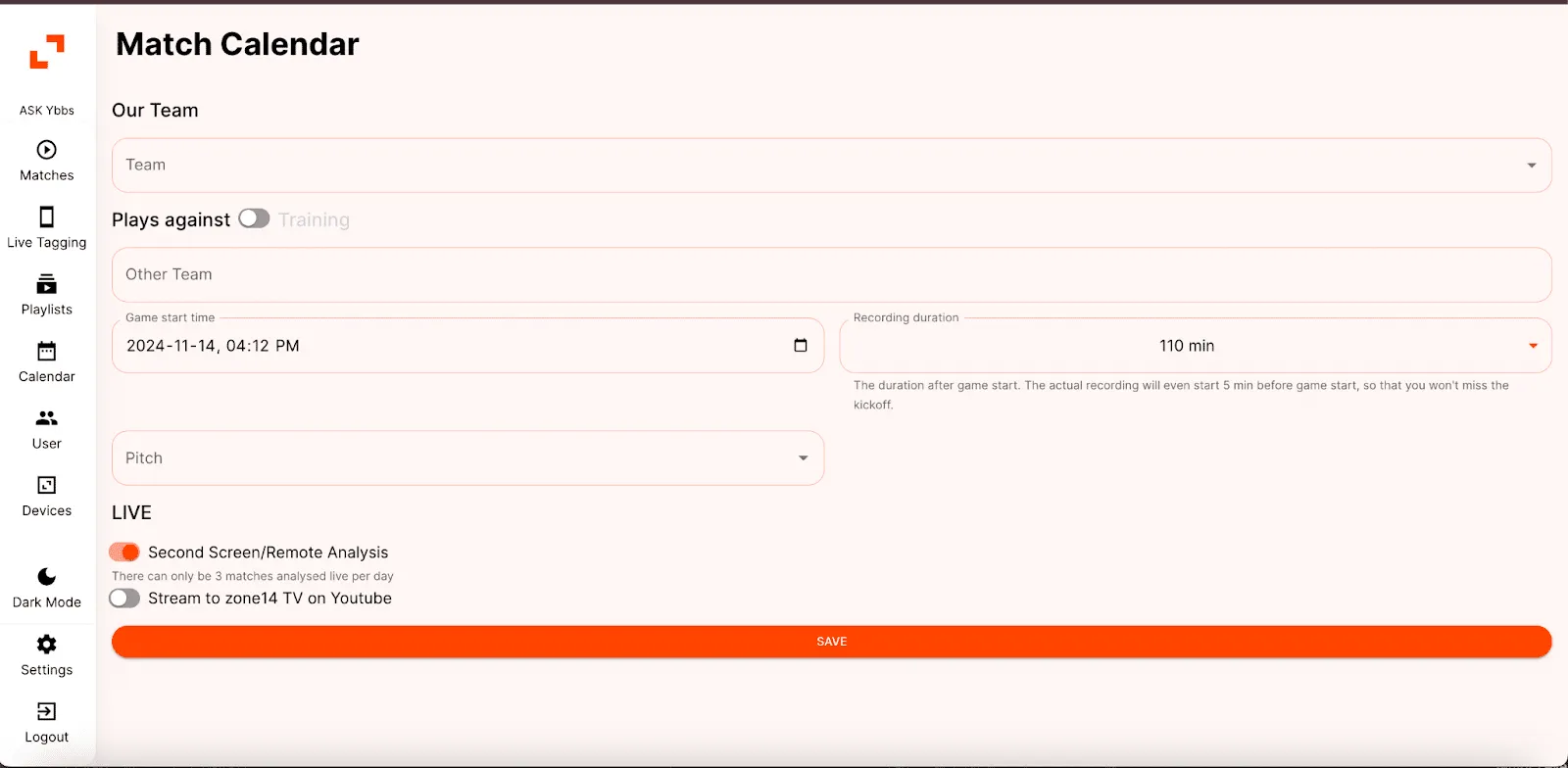
4. Several sections are now displayed from which you can select.
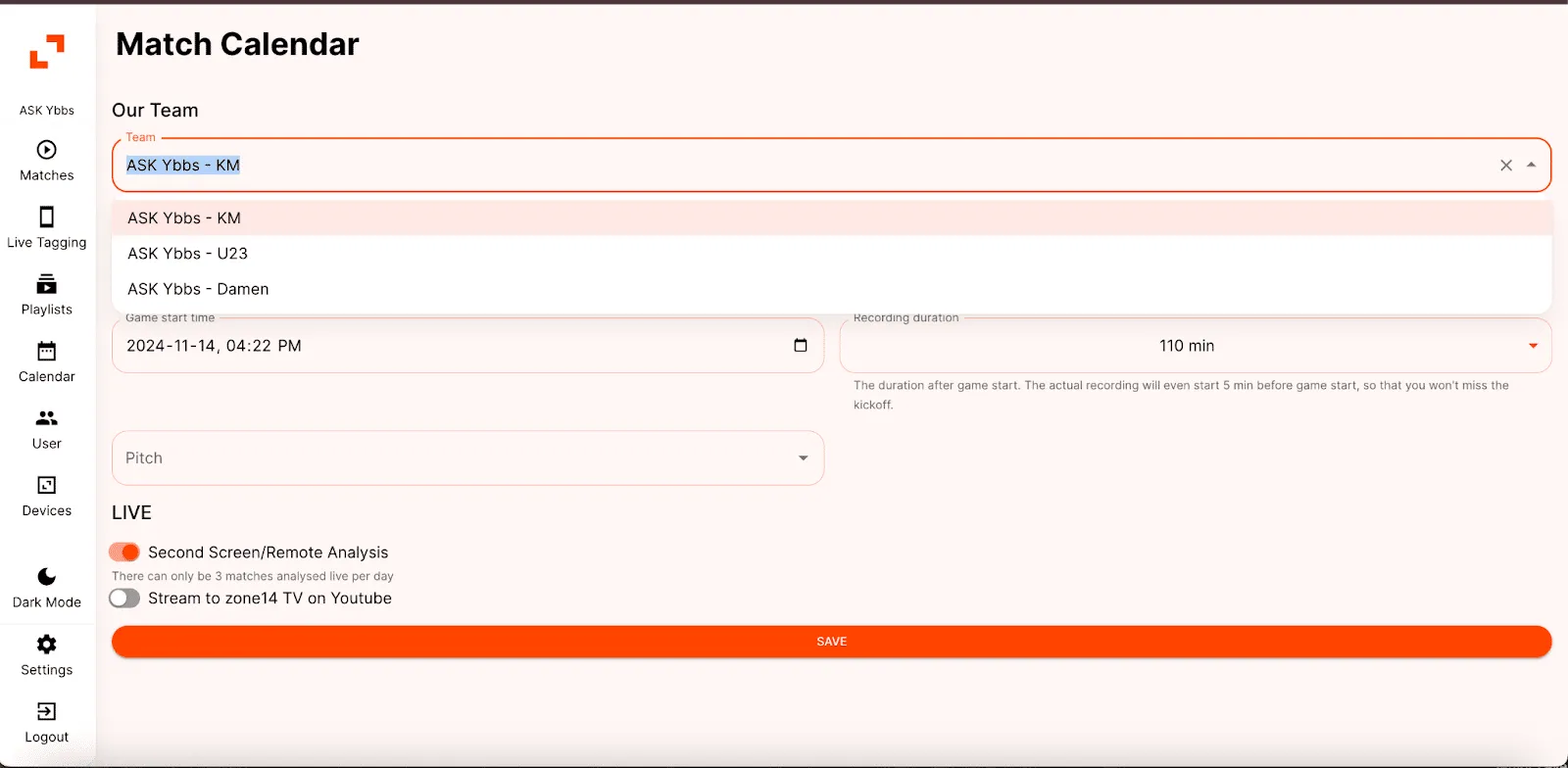
5. First select the team for which a match recording is to be planned under ‘Our team’.
6. Next, under ‘Games against’, find the ‘Training’ button. If it is a training session and not a game, click on this button. Otherwise, go to the next step.
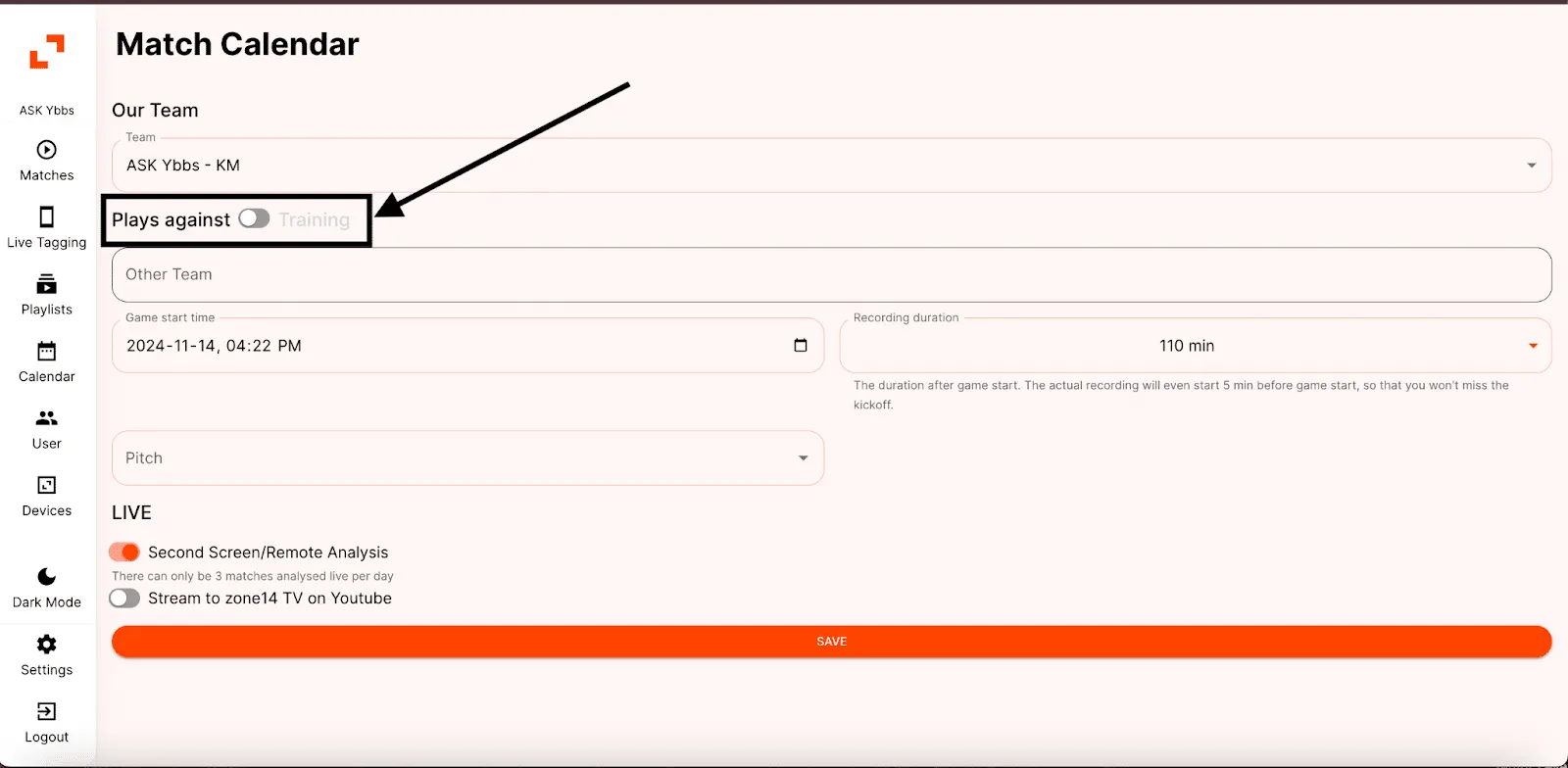
7. Select the team to be played against under ‘Other team’.
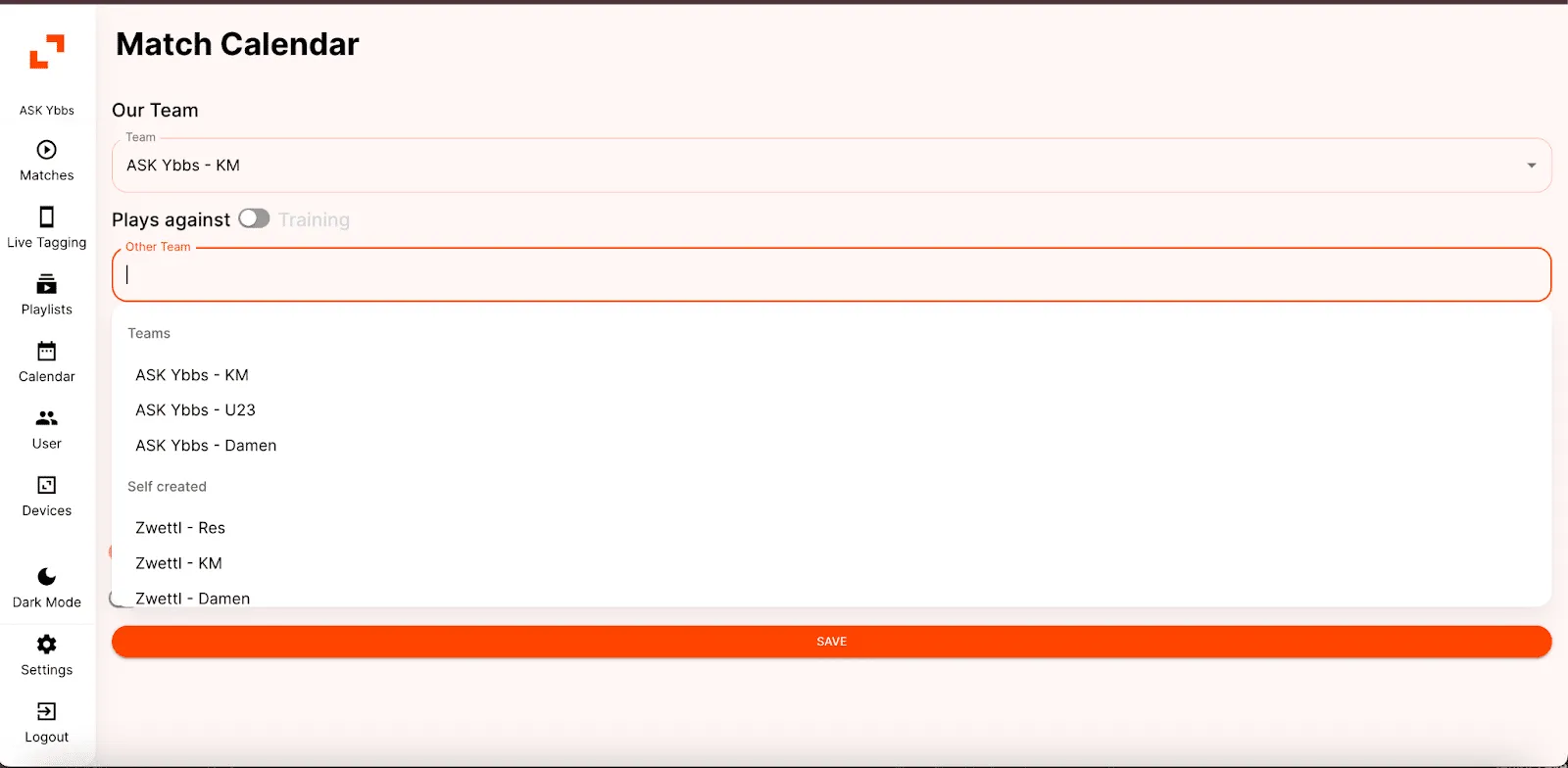
8. Under ‘Game start time’, click on the calendar icon on the right-hand side to select the date and time according to your requirements.
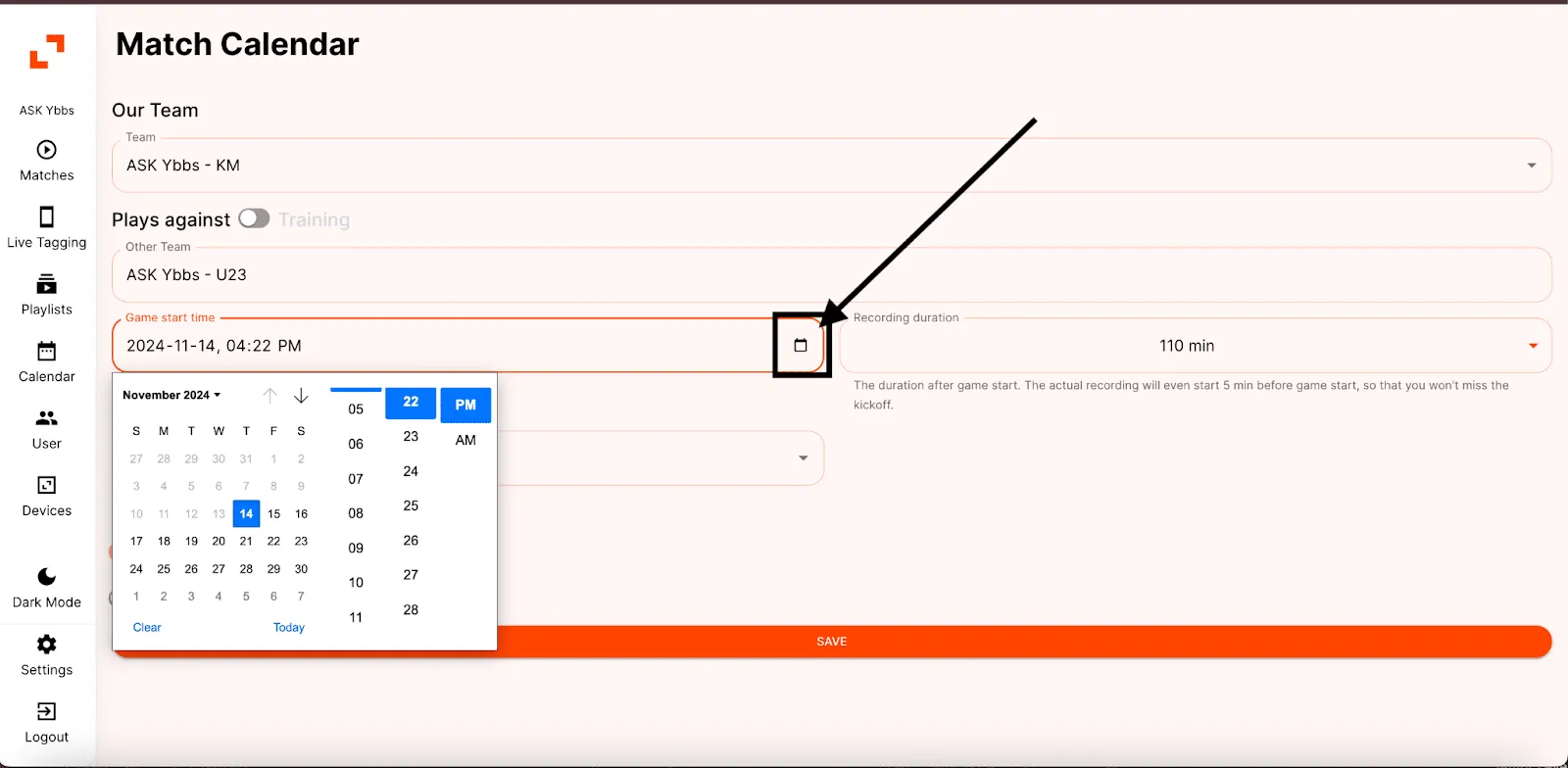
9. Under ‘Recording duration’, select an option between 30 and 160 minutes that best meets your requirements.
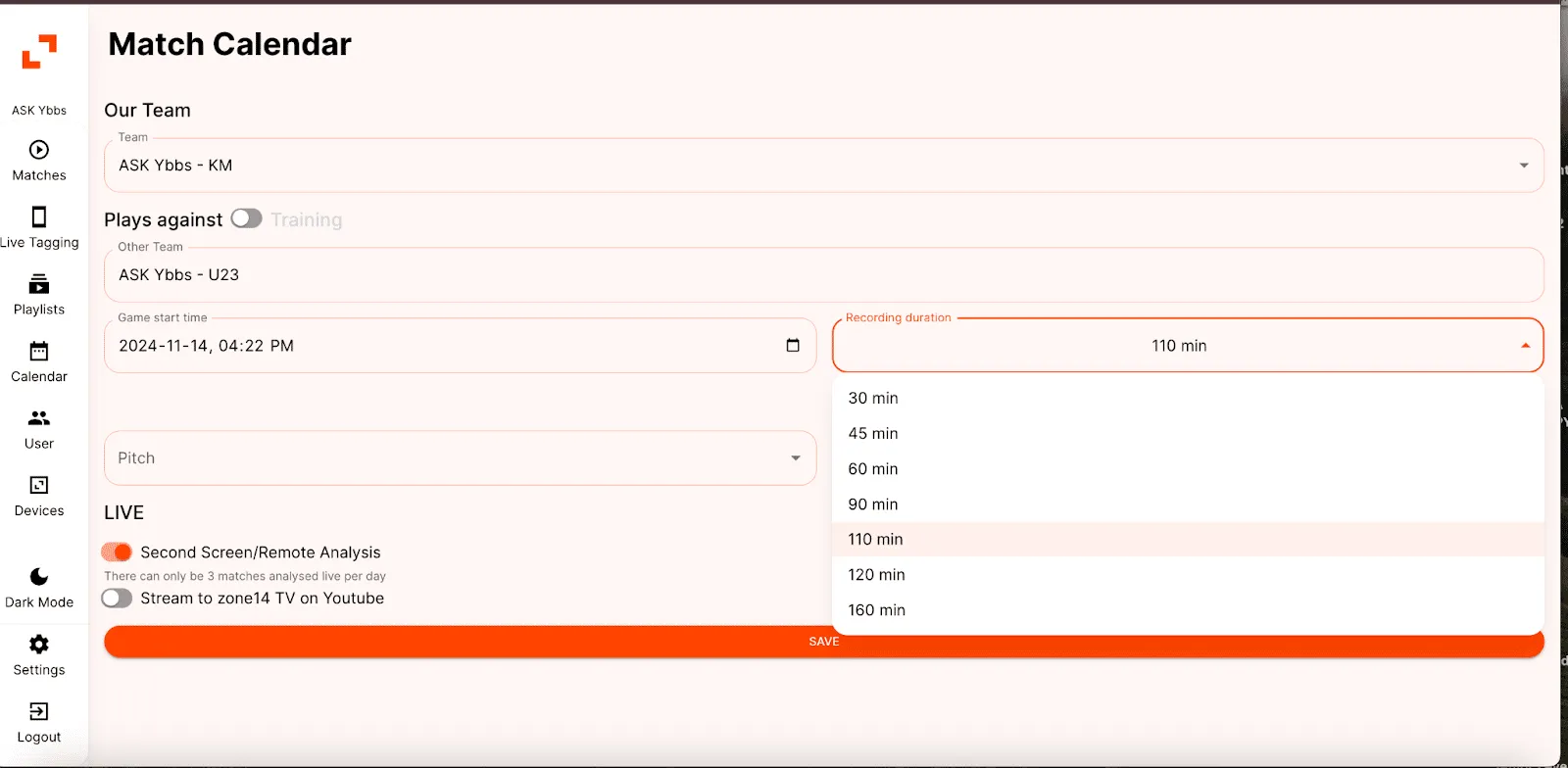
10. Select the pitch where the recording is to take place.
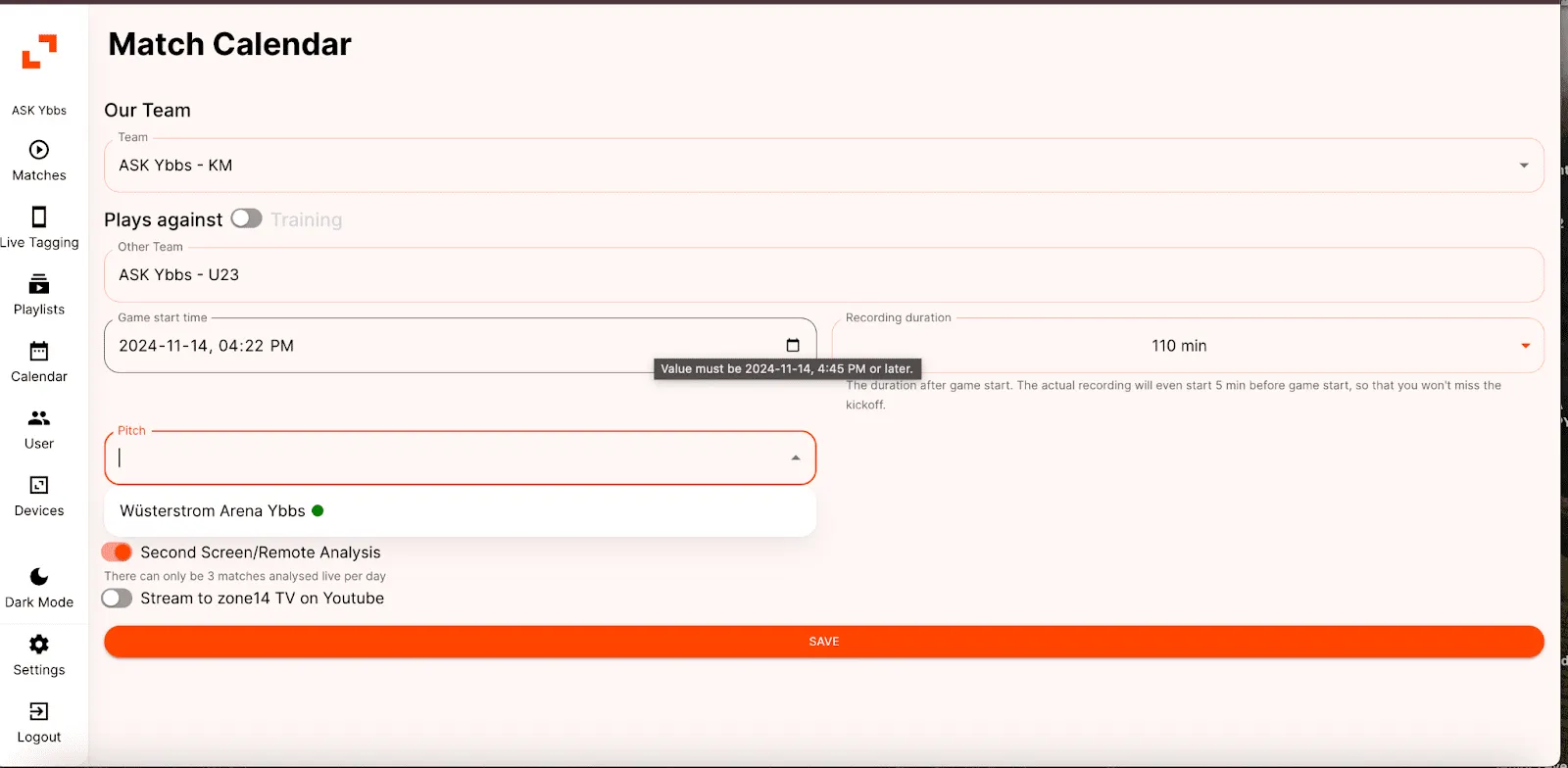
11. Two options are available in the ‘LIVE’ section:
- To stream the game live on both the zone14 TV YouTube channel and on REPLAY, select ‘Second Screen/Remote Analysis’ and ‘Stream on zone14 TV on YouTube’. This will stream the game on both platforms.
- If streaming on both platforms is not desired, simply continue with the next step.
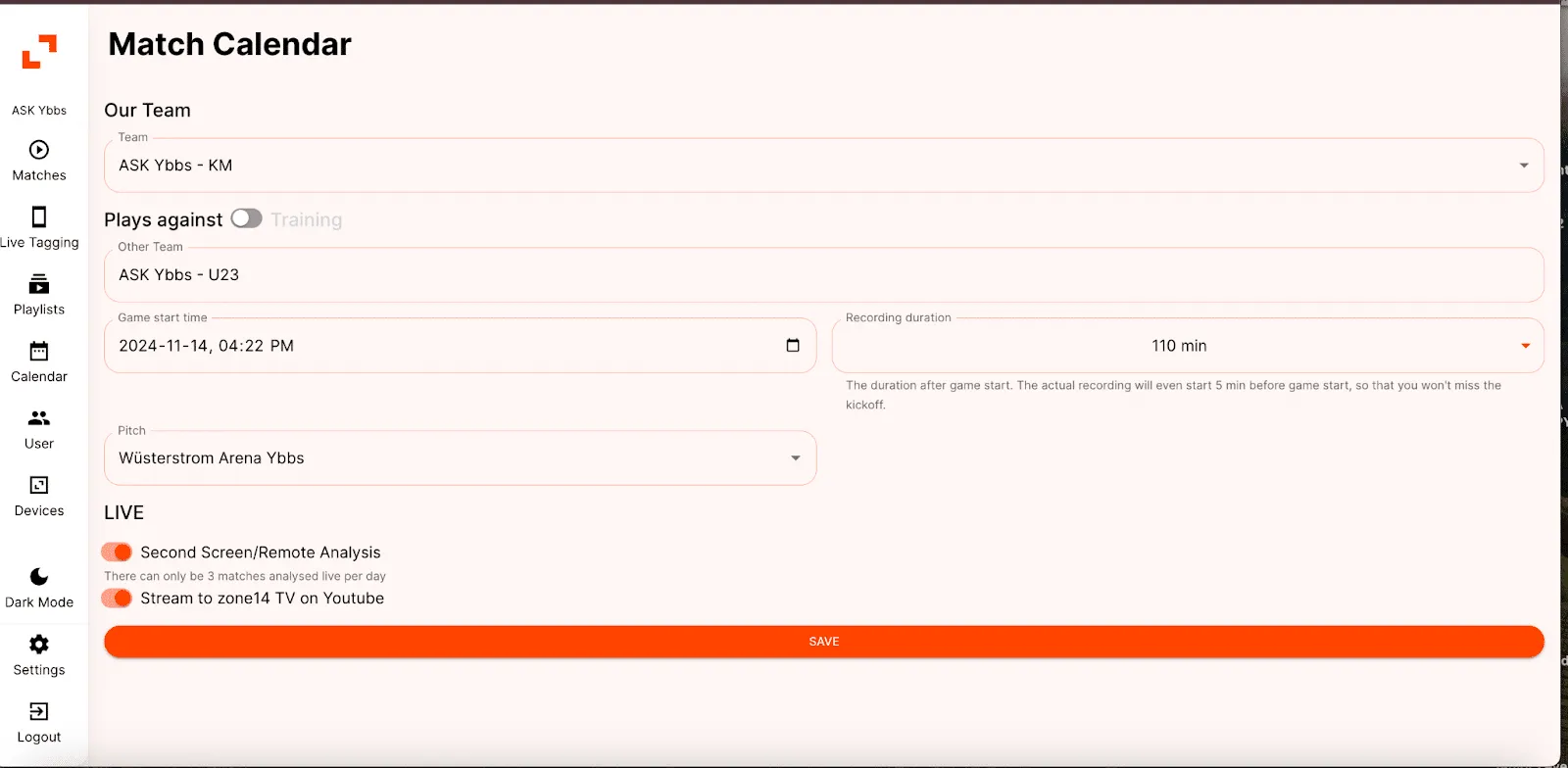
12. Finally, click on ‘Save’. The game will then appear on the ‘Match calendar’ tab in the planned position.
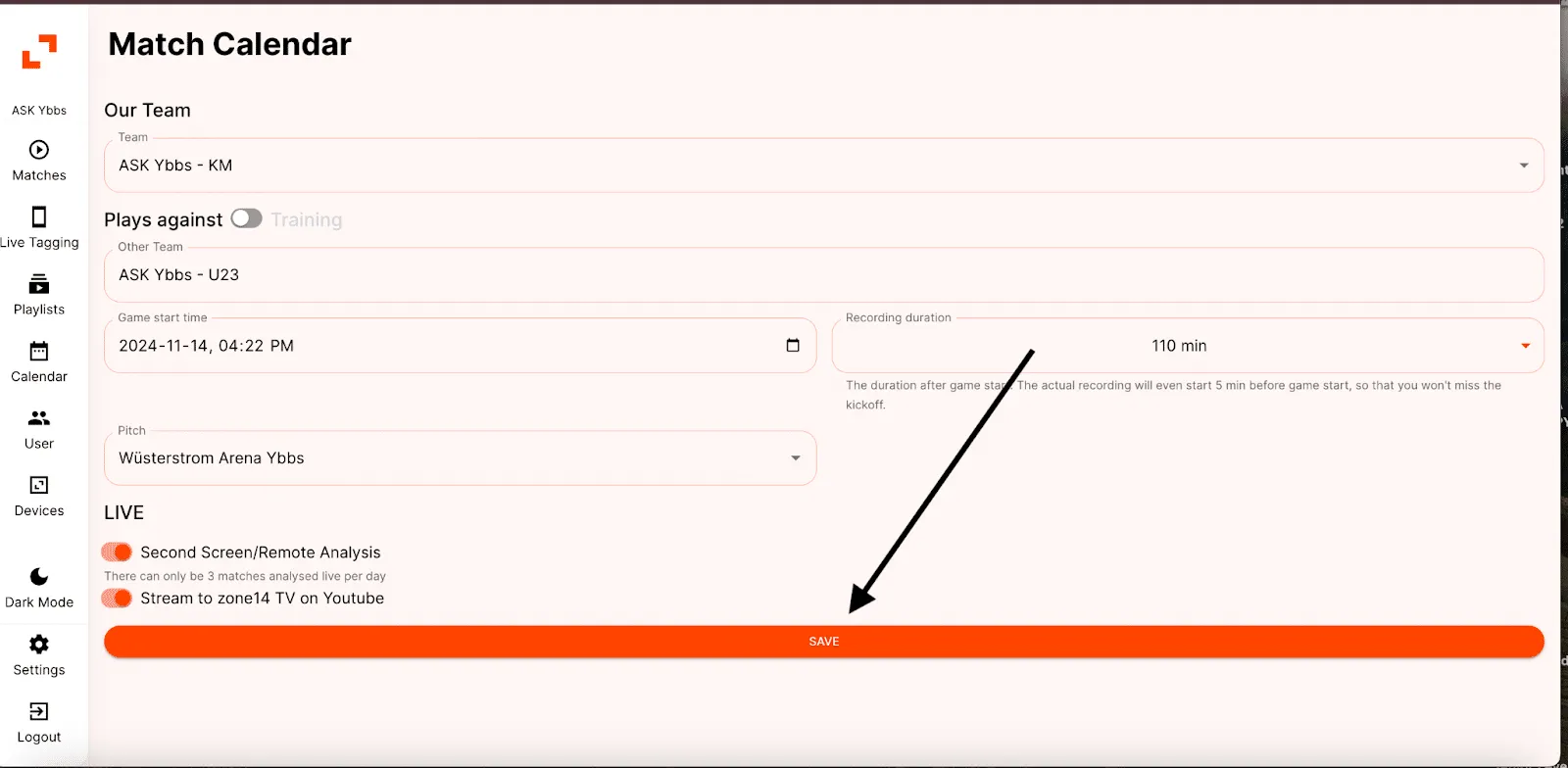
And that’s it – the game is now planned and entered in the match calendar!