All guidesGuide
How to switch to panorama view in zone14 REPLAY
zone14 Guide: How to quickly switch to panorama view. Your guide in two easy steps!
Want to see the entire playing field at a glance to better analyze tactical formations and shifts? It’s easy with the panorama view in zone14 REPLAY!
Follow these two steps:
- Open your video in REPLAY:
Start playing your game or scene as usual.
- Click on the panorama icon:
Look for the panorama icon in the video control bar (bottom right). It looks like a curved rectangle and is located next to the full screen icon. Just click on it!
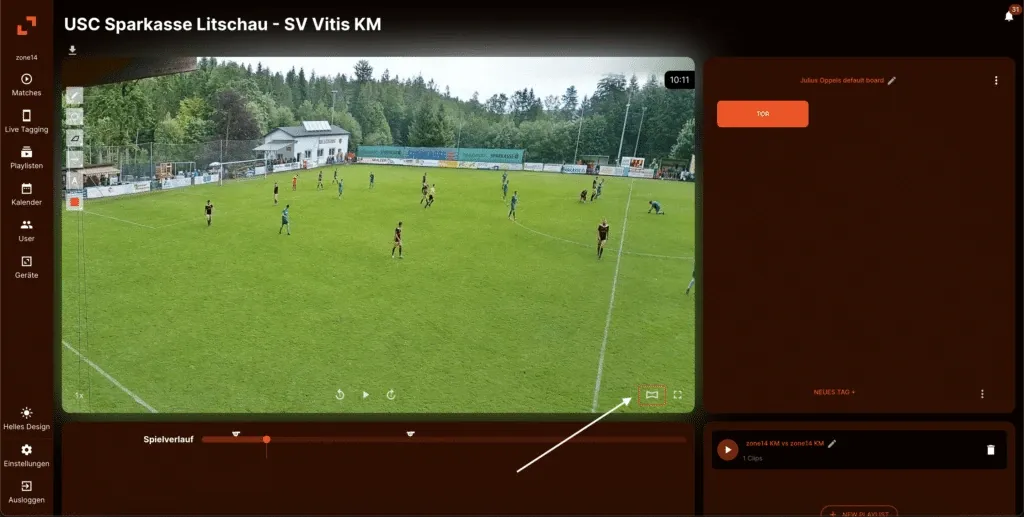
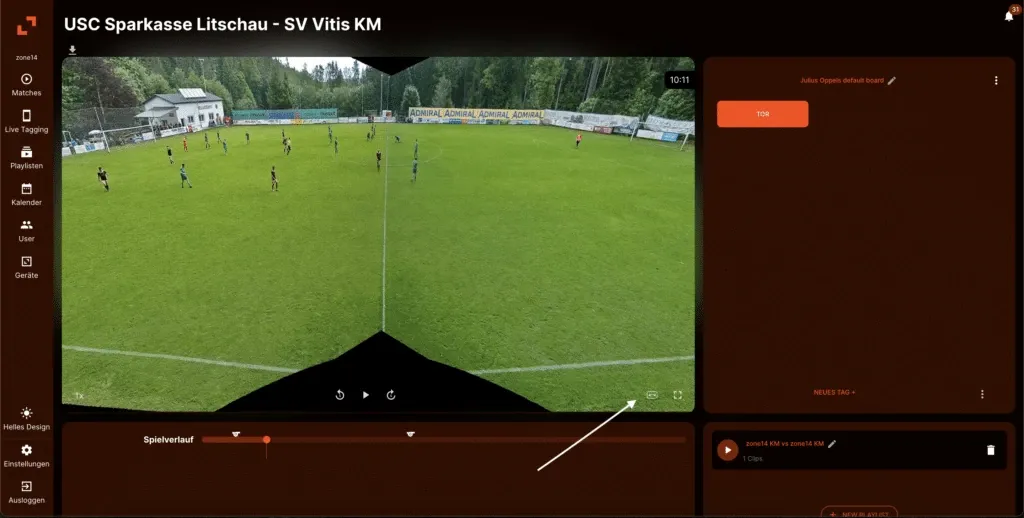
That’s it! The view immediately switches from the follow-cam image to a full panoramic view of the playing field. To return to the normal view, simply click on the same icon again.
Good luck with your tactical analysis!