← All guidesGuide
How to customise REPLAY and suggest changes
Learn how you can customise zone14 REPLAY and submit your suggestions for improvements!
The REPLAY platform can be tailored to your preferences with just a few adjustments. You can also propose features or improvements you’d like to see in REPLAY. Here’s how.
1. Log in to the zone14 REPLAY app with your login details.
2. On your club’s homepage, locate the toolbar on the left side, just below the orange zone14 logo at the top. Find and click the “Settings” button.
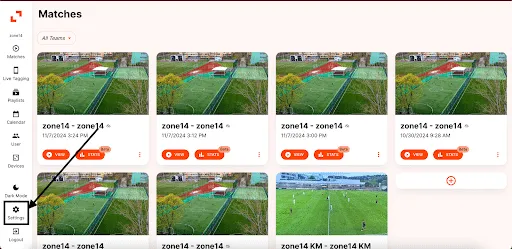
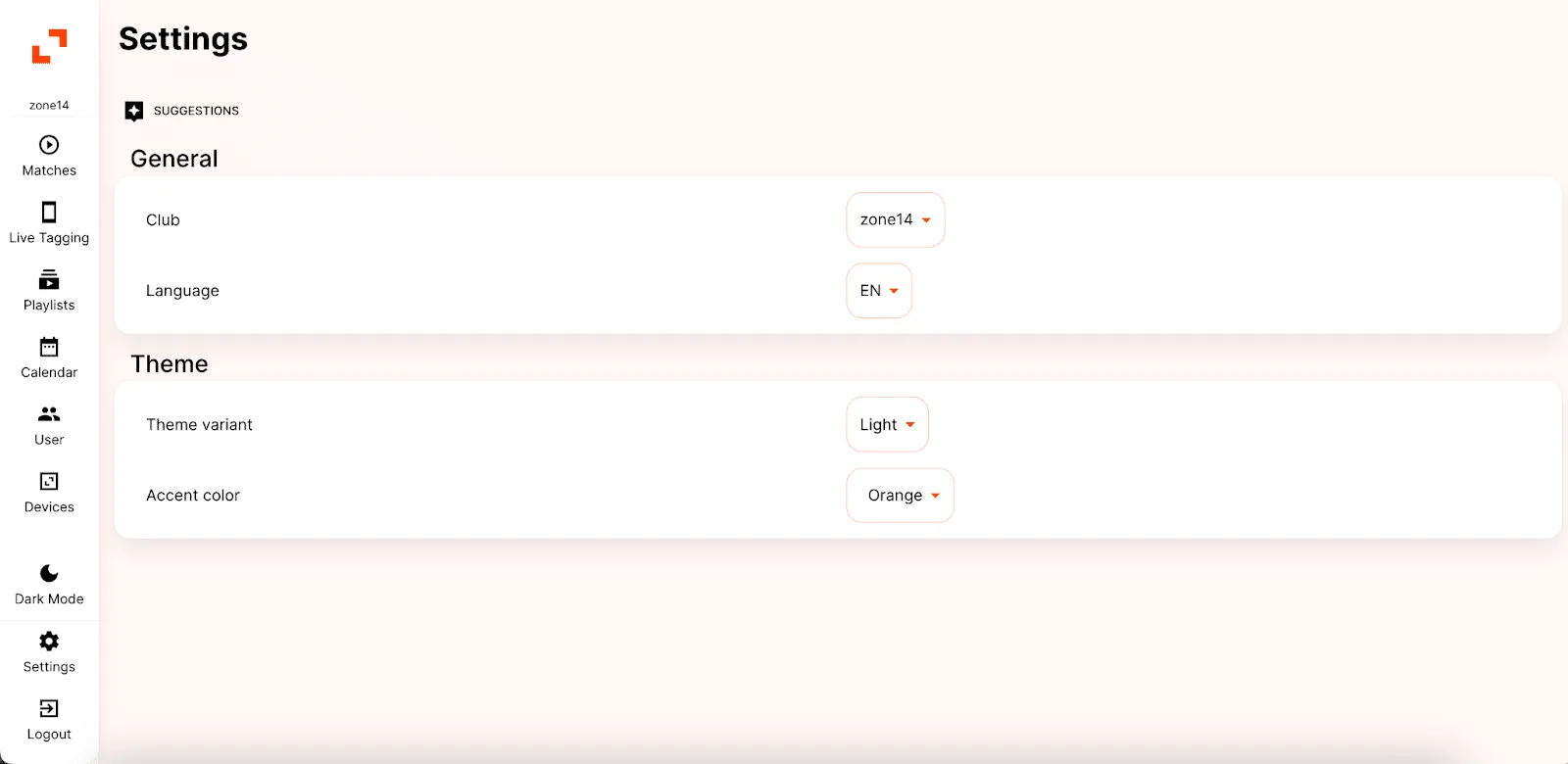
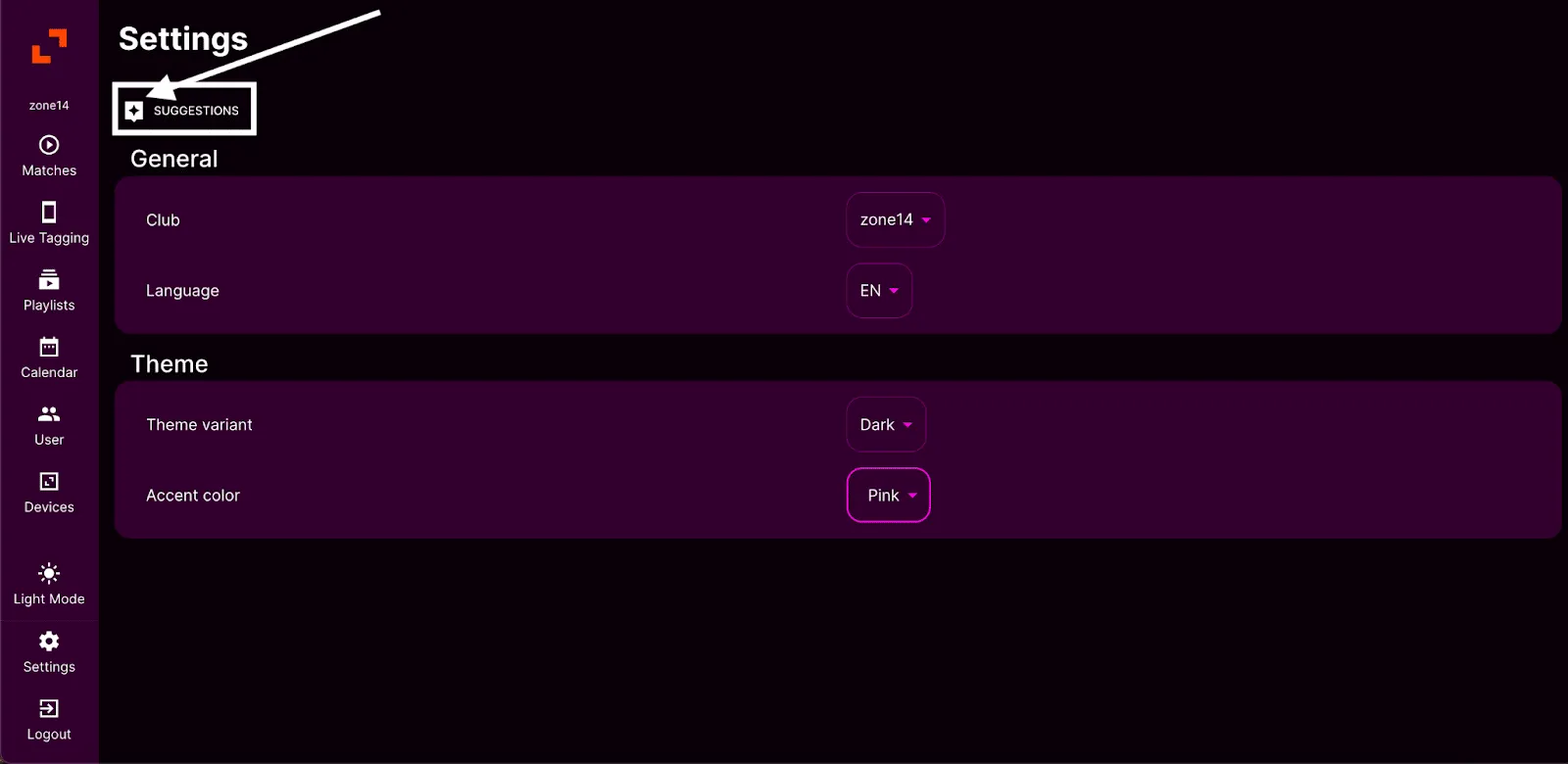
3. On the Settings page, you’ll see two sections labelled “General” and “Theme”. Under the Theme section, you will see “Theme Variant” and “Accent Colour”.
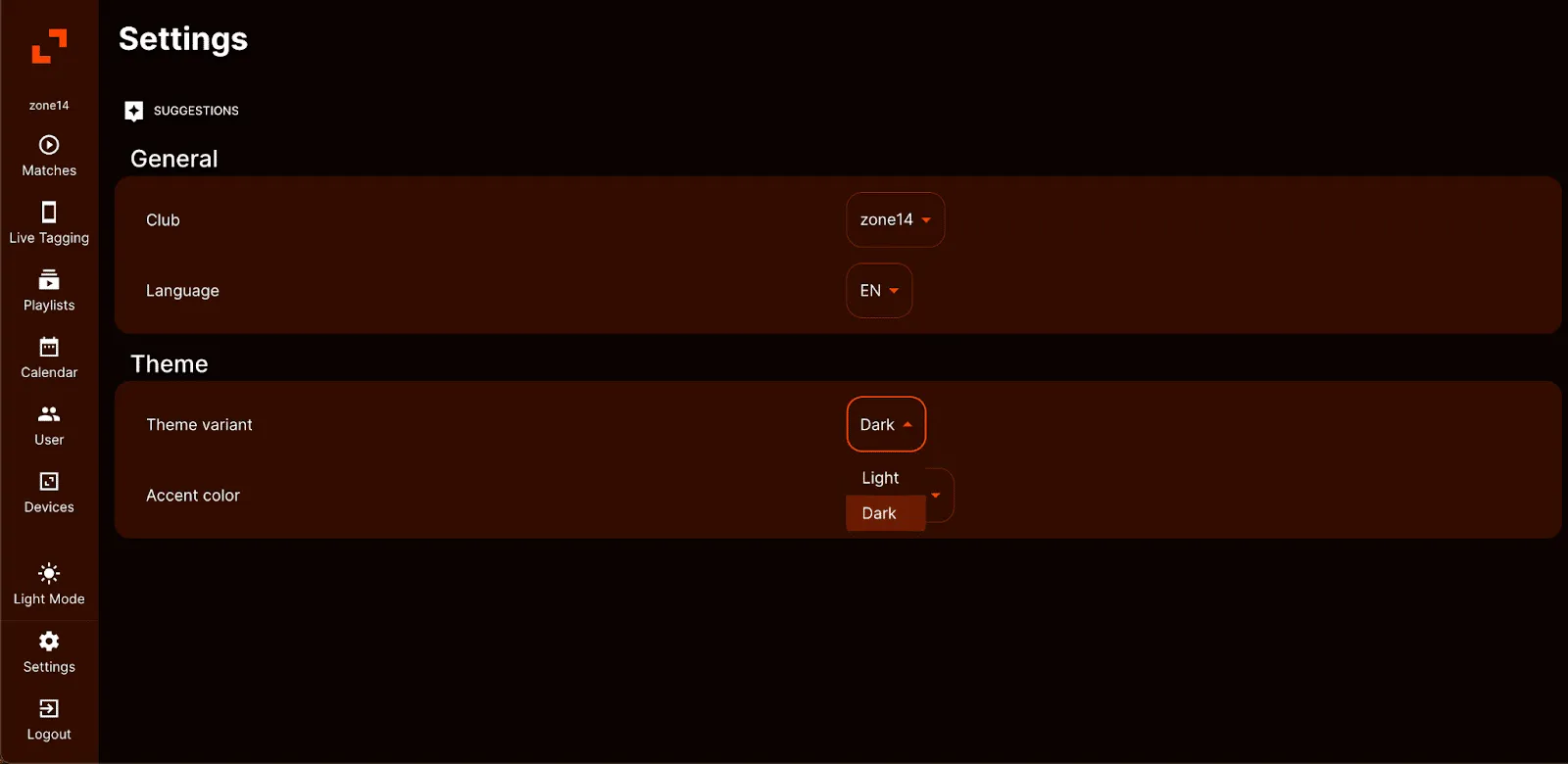
4. The theme dropdown offers two options: “Light” and “Dark”. The theme is set to “Light” by default. If that feels too bright, switch to “Dark” for a darker view that is easier on the eyes. The screenshot shows how the REPLAY app looks with this setting.
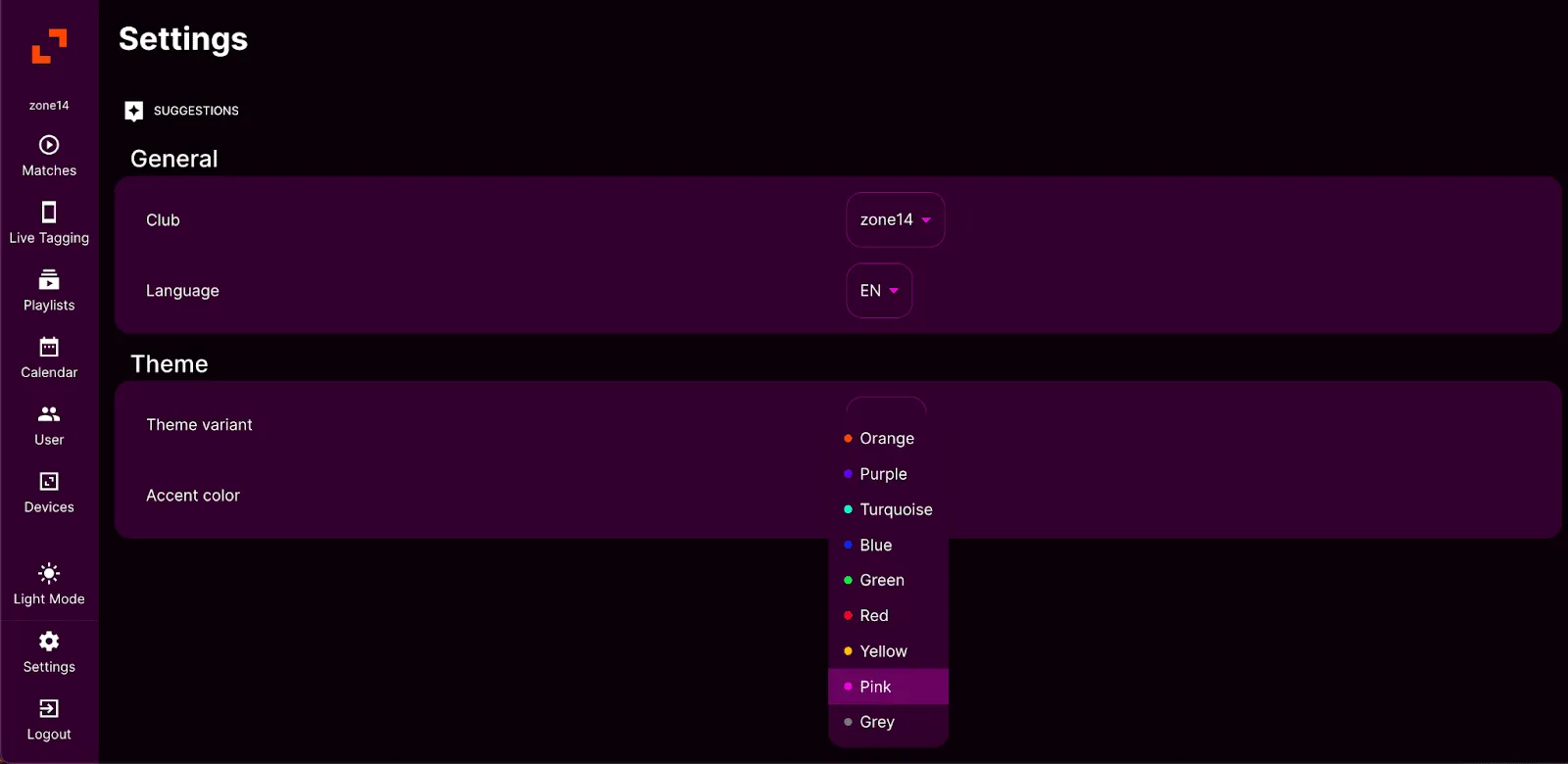
5. The “Accent Colour” option lets you personalise elements of the platform, such as the boxes and the overall layout. A wide range of colours is available, as the following screenshot shows. In this example, the accent colour has been changed to pink.
6. If you spot anything that stands out or seems to be missing in REPLAY, you can send your suggestions to zone14. Simply click the icon next to the “Suggestions” title to give your feedback.
7. When you click the “Suggestion” icon, a window appears. Enter a title for your suggestion in the “Title” box and describe in more detail what you would like to see implemented. Then click “Submit your feedback” to send your suggestion to zone14.
That’s it! That’s all you need to know to customise your zone14 REPLAY experience and submit suggestions to improve the platform.