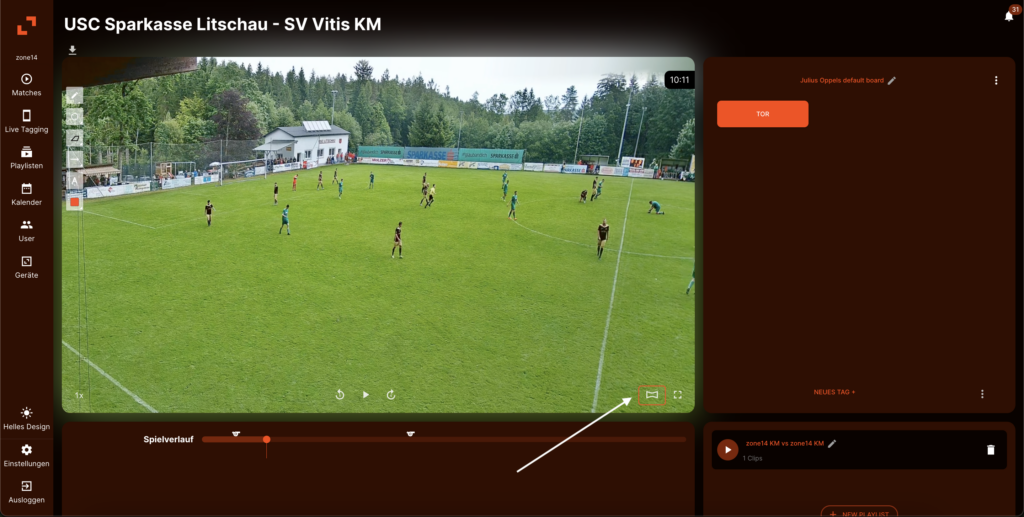
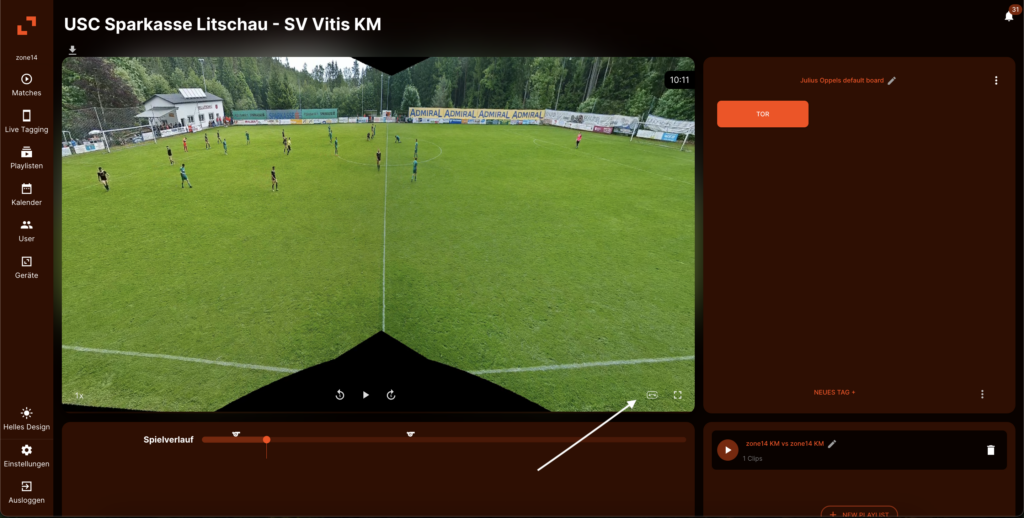
Want to see the entire playing field at a glance to better analyze tactical formations and shifts? It's easy with the panorama view in zone14 REPLAY!
Follow these two steps:
Open your video in REPLAY: Start playing your game or scene as usual.
Click on the panorama icon: Look for the panorama iconin the video control bar (bottom right). It looks like a curved rectangle and is located next to the full screen icon. Just click on it!
That's it! The view immediately switches from the follow-cam image to a full panoramic view of the playing field. To return to the normal view, simply click on the same icon again.
Good luck with your tactical analysis!
Wir verwenden technisch erforderliche Cookies für die Grundfunktionen unserer Website und optionale Cookies, um Ihre Erfahrung auf unserer Website zu verbessern.
URI: [/en/guide/panoramaansicht] | MATCH: NO | DB Keys Example: /zone14-fussball-kamera, /, /fussball-innovationsinitiative-bewerbung