As a coach or analyst, every minute counts. Want to quickly access key game footage after training or on your way home without having to navigate through complicated browser menus? Even though there is no native Android app in the Google Play Store yet, you can place the zone14 REPLAY web app directly on your home screen just like a normal app.
This guide shows you step by step how to set up direct quick access to your analytics platform in less than a minute using Google Chrome.
Why should I do that? The advantages at a glance:
App-like convenience: Launch REPLAY with just one tap, just like your other apps.
No more URL entry: You no longer have to remember the web address or type it in every time.
Tidy & efficient: Your analysis tool has its own designated place and is always within reach.
Always works: As long as you have an internet connection, you have access to the latest version of REPLAY without having to install updates from an app store.
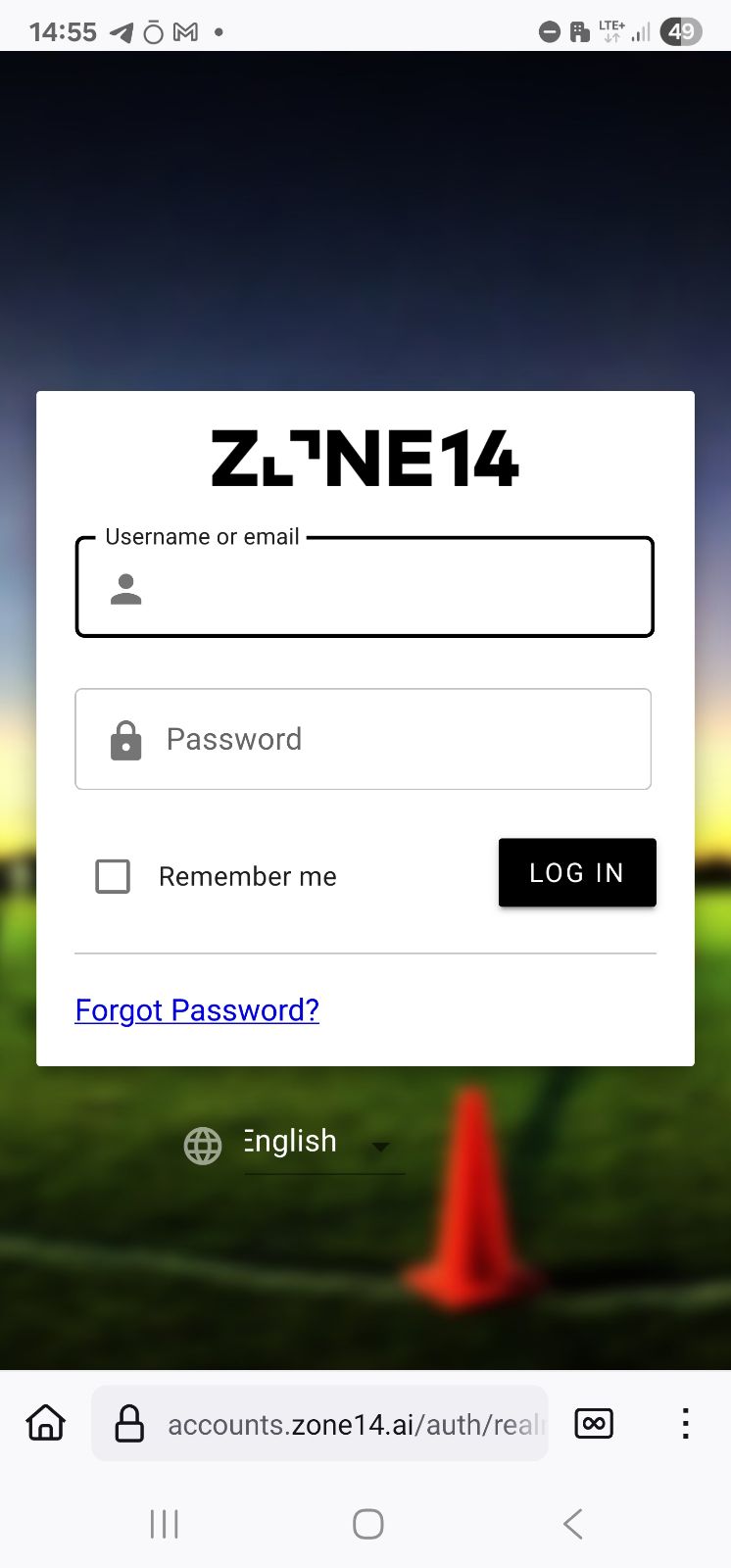
The first step is to open the website you want to save as an app.
Open the Google Chrome app on your Android smartphone or tablet.
Enter the URL of the analysis platform in the address bar at the top: replay.zone14.ai
Press “Enter” and log in to your zone14 account with your personal login details.
Step 2: Find the menu in Google Chrome
Now you tell Chrome that you have something special planned for this page.
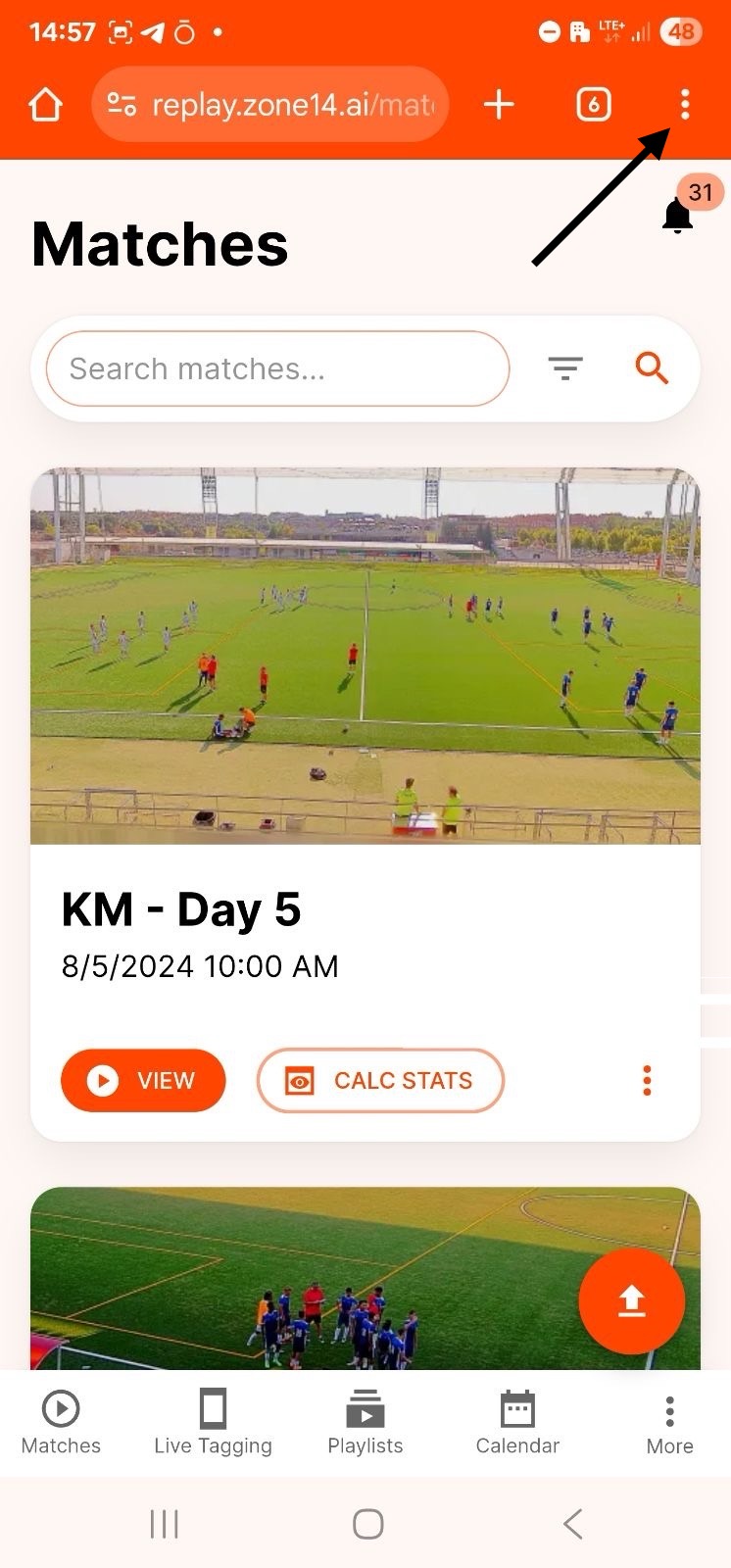
Once you are logged into REPLAY and can see your dashboard, take a look at the top right corner of your browser window.
There you will find the menu icon, represented by three vertical dots (⋮). Tap on it.
Step 3: Select the option “Add to Home Screen.”
This menu contains the crucial function.
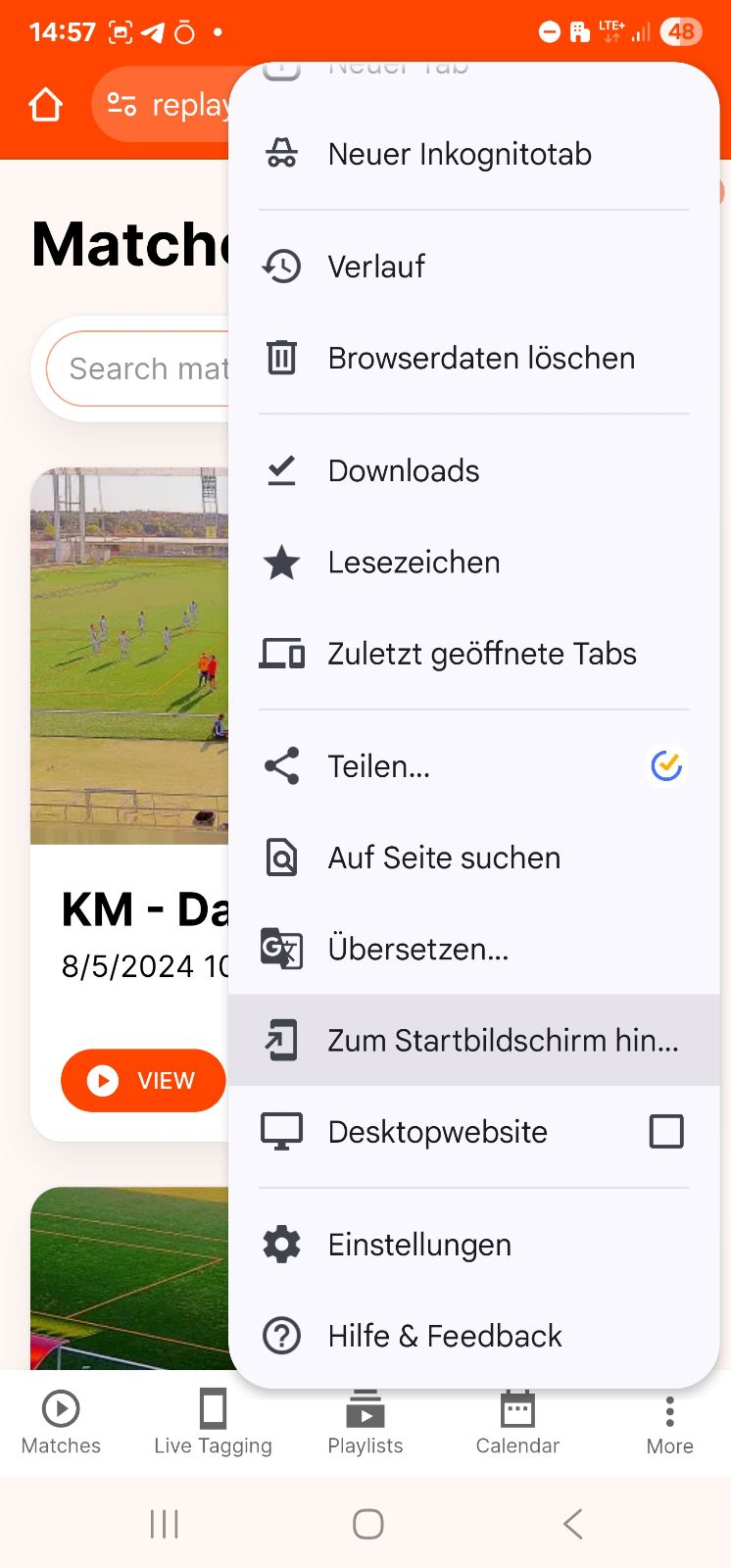
A menu with a list of actions (New Tab, Bookmarks, etc.) opens.
Swipe or scroll down a little until you find the menu item “Add to home screen”.
Tap this option.
Step 4: Confirm your new “app”
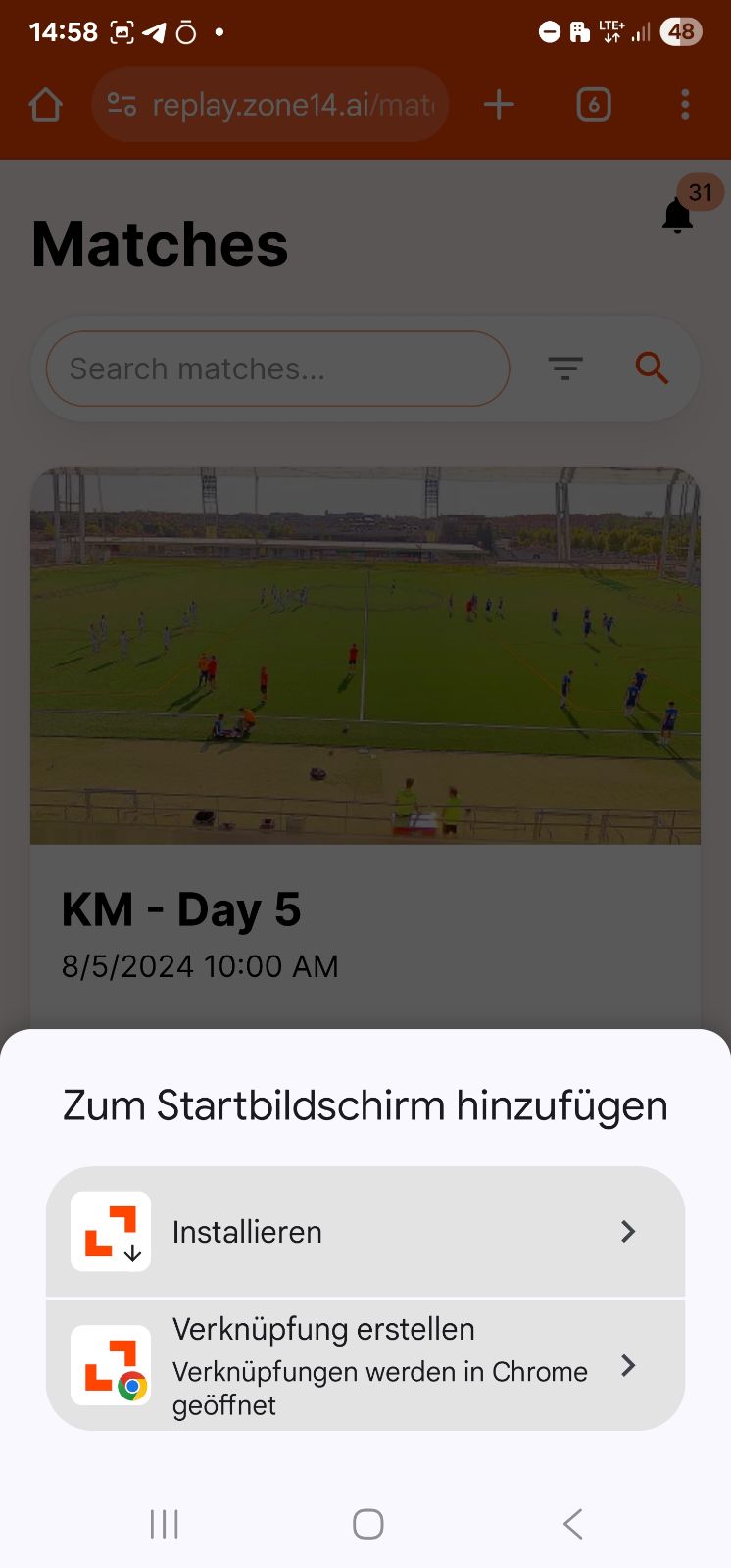
The last step is just a formality.
Tap the “Install” button.
Your smartphone will probably ask you one last time if you really want to place the icon on your home screen. Confirm this by tapping “Add” again or manually dragging the icon to the desired position on your home screen.
Congratulations! You did it!
When you return to your home screen, you will find the familiar zone14 logo as an app icon. From now on, a single click is all it takes to dive right into your game analyses – quickly, easily, and efficiently.
Wir verwenden technisch erforderliche Cookies für die Grundfunktionen unserer Website und optionale Cookies, um Ihre Erfahrung auf unserer Website zu verbessern.
URI: [/en/guide/replay-app-android] | MATCH: NO | DB Keys Example: /zone14-fussball-kamera, /, /fussball-innovationsinitiative-bewerbung