Contents
Best Video Analysis Software for XbotGo Falcon 2026 | Upload & Analyse Your Footage
The launch of the XbotGo Falcon has changed the game for portable sports recording. By delivering a standalone 4K AI camera that captures every play with stunning clarity—all without a mandatory hardware subscription—XbotGo has given coaches a powerful, independent filming solution.
But as any experienced coach knows, recording the game is only the beginning.
Once the final whistle blows, you’re left with a full 4K match file—either on a microSD card or in the cloud. And while the Falcon excels at capturing the game, it doesn’t include built-in video analysis software.
To turn your recordings into real coaching insights, you need video analysis software for XbotGo Falcon, that allows you to upload and work with your own footage. In 2026, the most effective solution for this workflow is zone14 COACH.
What Can You Do With XbotGo Falcon Footage?
After recording with the Falcon, most coaches quickly realize that simply watching the match back isn’t enough. You want to understand, why nd why things happened—not just what happened. That means being able to isolate key moments, review tactical decisions, and build a clearer picture of performance over time.
In practical terms, coaches typically use zone14 COACH, to:
Review key phases of playwithout scrolling through 90 minutes of raw video.
Organize clips into themes (e.g., Corner Defense, Pressing Structure).
Track patternsacross multiple matches to see if errors are recurring.
Give clear, visual feedbackthat players can actually digest.
Without dedicated software, this becomes a manual and time-consuming process. With the right tools, your footage becomes something you can actively coach from—not just store in a "digital graveyard."
Why Your Players Need More Than Just a 4K Recording
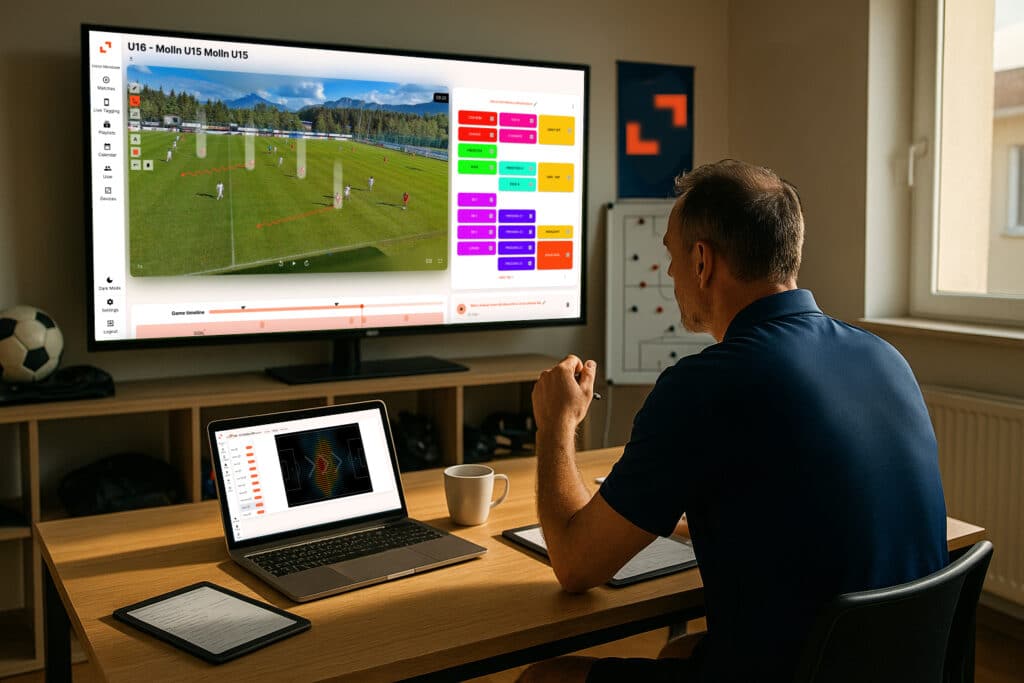
The Falcon is an elite cameraman—but it’s not a tactical analyst. Watching a full match from start to finish can give you a general impression, but it rarely reveals consistent patterns or recurring issues. Important details get lost in the noise, and feedback stays broad rather than actionable.
To properly develop your team, you need a way to break the game down into moments, themes, and decisions. Players—especially in youth academies—learn best through short, punchy clips. A 90-minute raw video is often overwhelming for them. zone14 COACH acts as the analysis layer on top of your XbotGo recordings, helping you turn raw footage into structured insight you can actually use in training and match preparation.
Upload and Store Your XbotGo Falcon Footage in the Cloud

One of the biggest advantages of using dedicated video analysis software for XbotGo Falcon is having a reliable system to upload and manage your footage.
Instead of moving files between SD cards, phones, and laptops, you can upload your matches into a secure cloud environment where everything is organized automatically. Over the course of a season, this becomes essential for monitoring player development.
Your full match library is accessible from any device, whether you’re reviewing games at home or preparing a session at the pitch. The platform also handles large 4K files efficiently, ensuring smooth playback during analysis—something that quickly becomes a limitation when working locally or via standard cloud drives.

Identify Tactical Patterns with Professional Playlists
Basic highlight clips show the "what," but our Playlist feature helps you understand the "how." In zone14 COACH, you can curate specific clips into thematic reels that serve a higher strategic purpose.
This allows you to move beyond isolated moments and understand how your team is consistently behaving:
Analyze Trends: Are you consistently losing possession in the same zone? In a playlist, these patterns become undeniable.
Monitor Player Development: Create a playlist of a specific player's involvements over four games to track their growth. It’s the ultimate tool for showing a player side-by-side clips of their technical execution.
Targeted Feedback: Produce specific, short reels for your units (Defenders, Midfielders, Attackers) to make your tactical meetings 10x more efficient.
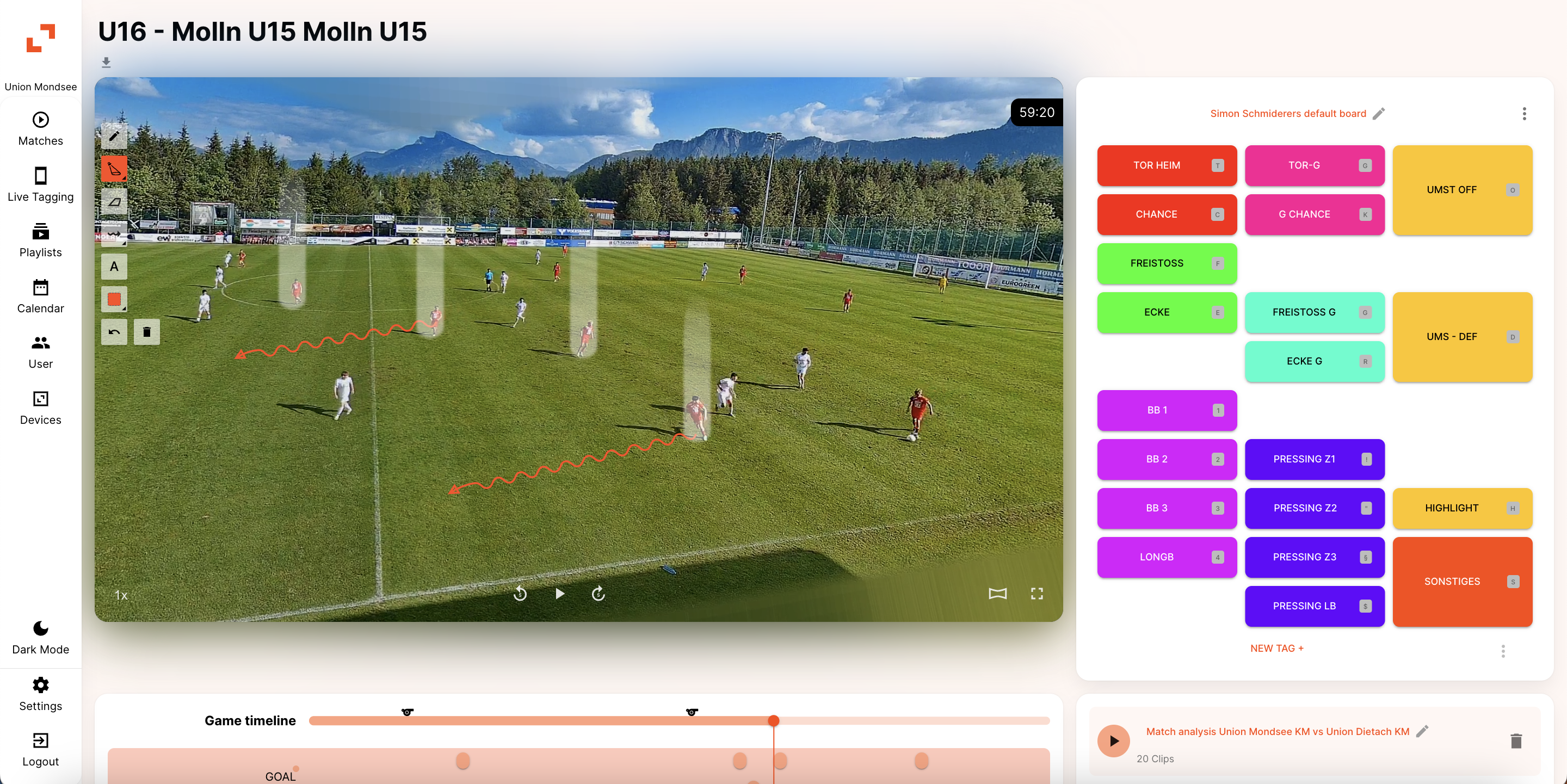
Analysis becomes significantly more effective when players can clearly see what you’re explaining. Within zone14 COACH you can pause your Falcon footage and draw directly onto the video to highlight positioning, movement, and space.
Whether you’re showing where a defensive line lost its shape or illustrating a missed run, these visual cues make feedback concrete. Because these annotations are saved within your clips, you’re always ready to present structured, visual feedback—whether in a team meeting or on the training ground.
Taktische Zeichnungen für dein XbotGo Material
Bring Analysis to the Pitch with Mobile Access
Coaching doesn’t happen behind a desk—it happens on the pitch. With mobile access through the zone14 REPLAY App you can take your analysis with you.
Clips can be reviewed during training sessions or shown to players immediately after a drill. This shortens the feedback loop considerably. Instead of describing a situation from memory, you can show it instantly, making your coaching more direct and easier for players to understand. You can also easily extract and download clipsto share via team messaging apps or for use in external presentations.
The Workflow: 4 Steps from Falcon to Feedback
The transition from recording to structured analysis is designed to be straightforward:
Record: Capture the match with your XbotGo Falcon in 4K.
Transfer: Move the file from your camera to your computer (or pull from the XbotGo Cloud).
Upload Drag and drop the .mp4 into the zone14 Cloud.
Analyse: Use your COACHdashboard to tag moments, draw tactical lines, and build your playlists.
Video Analysis Software for XbotGo and Self-Recorded Footage
Many traditional platforms are built around closed ecosystems or full-club infrastructure. While we offer the zone14 TWO for clubs wanting a fully automated, fixed-camera experience, zone14 COACH is designed for the modern, mobile coach.
If you’re specifically looking for football video analysis software that allows you to upload your own footage—rather than being forced into a specific hardware contract—this approach fits naturally alongside the XbotGo Falcon.
zone14 COACH
Your camera. Our cloud. Full flexibility.
Conclusion: Don’t Just Record. Coach.
The XbotGo Falcon gives you the ability to capture the game. zone14 COACH gives you the ability to understand it.
If your footage is only being watched back without structure—or not reviewed at all—you’re missing a major opportunity to improve performance. With the right video analysis software for XbotGo Falcon, every match becomes something you can learn from, build on, and use to guide your team forward.
More related content from zone14